Understand before you “fix”
A CRM audit is a 360° diagnostic that compares what the business intends to achieve (goals) with what teams actually do (process reality), and evaluates how the CRM ecosystem behaves in practice (setup, workflows, automation rules, integrations, and data flows). The output is not “more fields” or “more automation”, it’s a prioritized action plan that fixes root causes, not symptoms.
What you should get at the end (the deliverables):
an Audit Report (what’s wrong + why), and
a Prioritized Action Plan (what to change first, and what can wait).
If those two outputs aren’t clearly produced, it wasn’t a real audit, it was exploration.
Why you should audit first (not later)
When trust drops, adoption drops. Salesforce reports that only 35% of sales pros completely trust the accuracy of their data.
When teams want to work data-driven, they often don’t trust the CRM enough to use it consistently. When adoption drops, data quality gets worse. A CRM audit is how you break that loop.
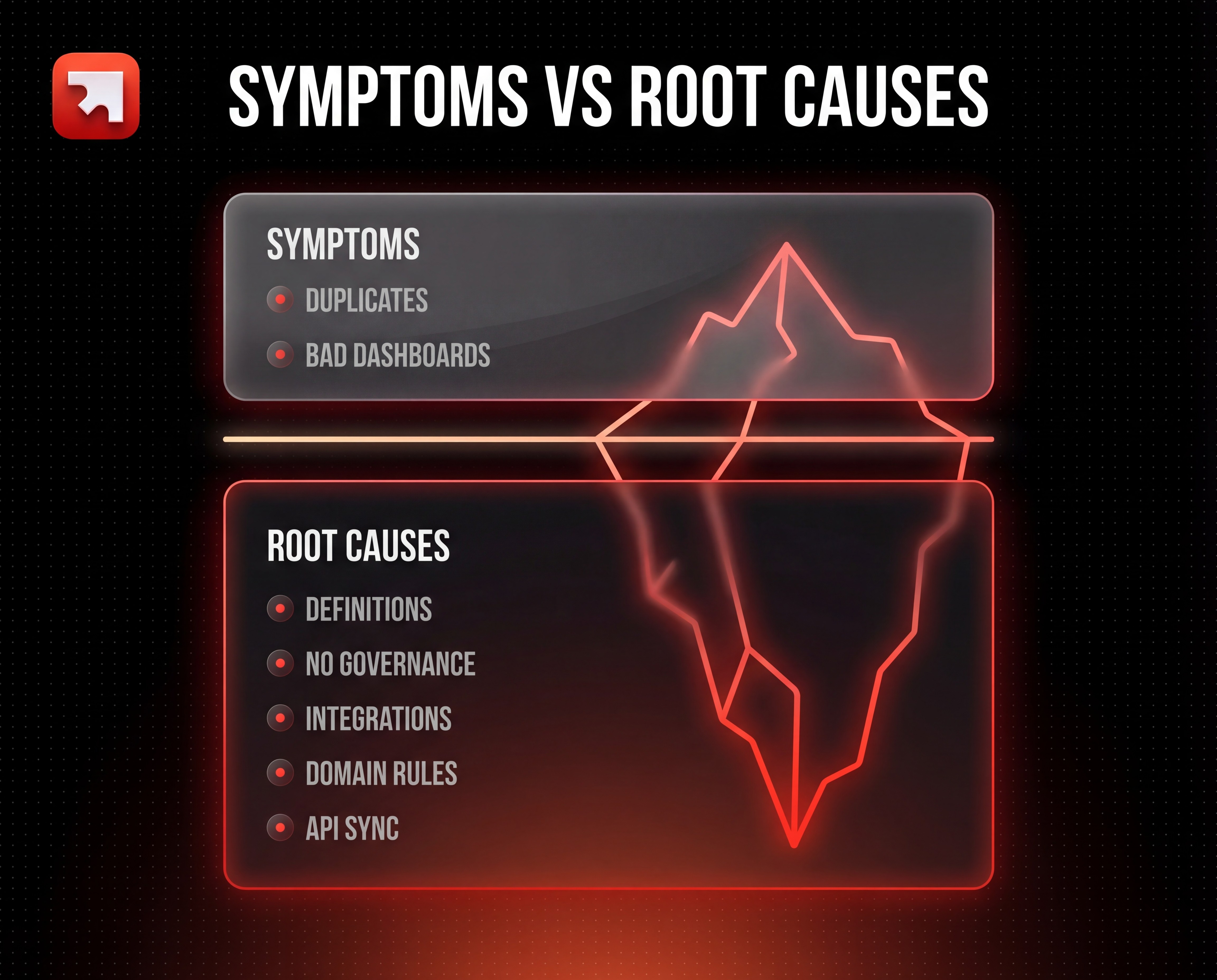
Bad CRM data doesn’t just create annoyance, it creates costly decisions (wrong segmentation, wrong forecasting, broken handoffs, and mistrust in dashboards). Gartner research proves poor data quality costs organizations $12.9M per year on average.
What a CRM audit is (and what it is not)
The simplest definition
A CRM audit is a structured way to answer three beginner-friendly questions:
What do we want the CRM to help us achieve? (goals + KPIs)
What is actually happening today? (real usage, not the documented process)
What needs to change first to restore trust? (prioritized plan)
What it is not
A CRM audit is not:
“Let’s add required fields everywhere.”
“Let’s build a bunch of automations.”
“Let’s redesign the CRM without talking to users.”
Those actions might be part of the plan later, but doing them before auditing often makes friction worse.
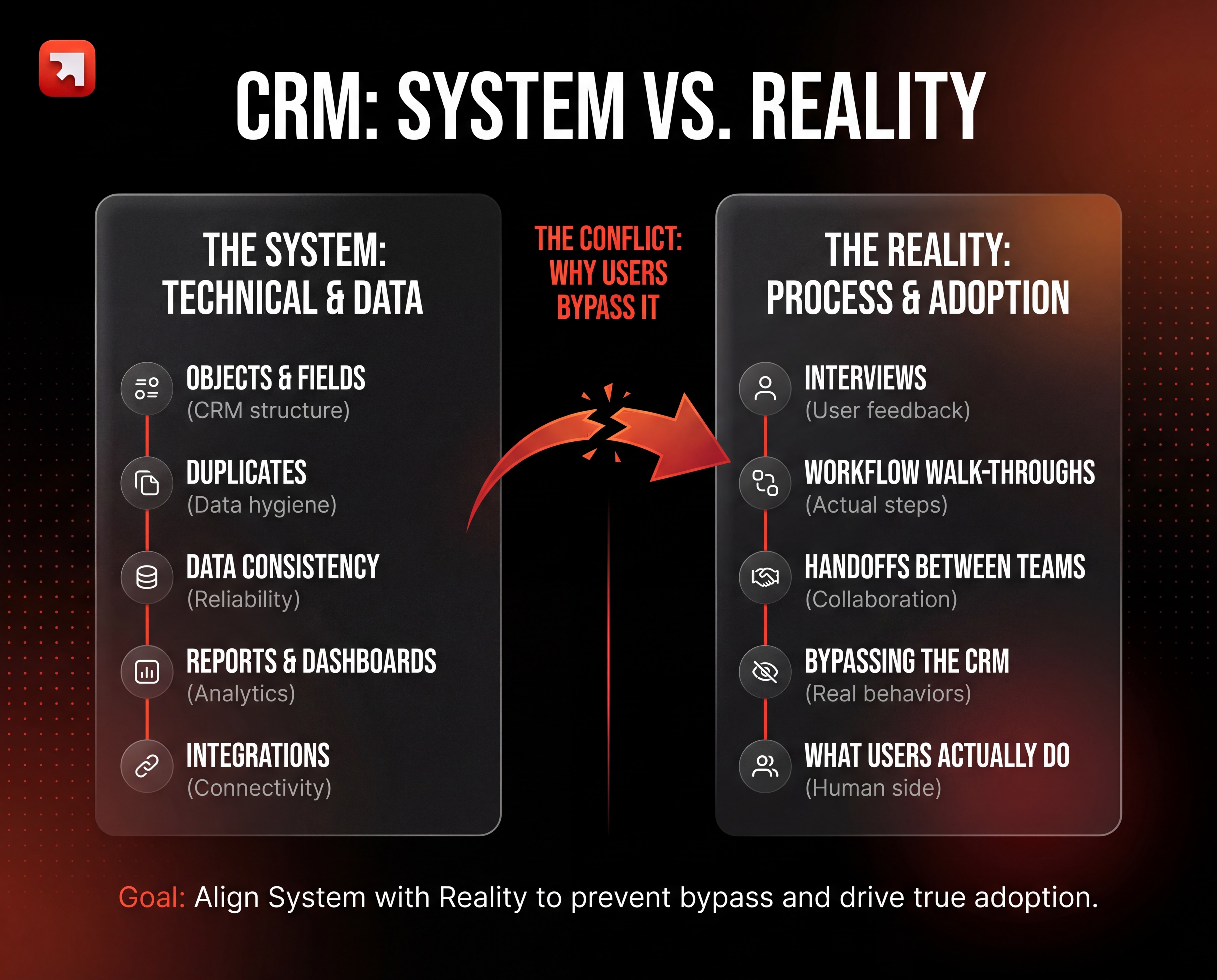
The two types of audit you must run (System vs Reality)
Most CRM problems exist because the “CRM system” and “real life” drift apart. That’s why your audit should always have two angles:
A) System & Data Audit (what the CRM contains)
This is the technical side:
objects,
fields,
duplicates,
data consistency,
reports & dashboards,
integrations.
You’re checking whether the CRM can function as a reliable database.
B) Process & Adoption Audit (how people actually work)
It's surprising how often CRM audits skip the obvious step: actually talking to the sales reps, the marketers, the ops people who live in the tool. That's where you learn what's really broken.
This is the human side: interviews, workflow walk-throughs, and handoffs between teams.
You’re checking whether the CRM matches reality and where reality is forcing people to bypass it.
A useful mental model is a two-column view:
What the CRM says is happening
What users are actually doing
What you should produce (deliverables people can act on)
A CRM audit is valuable only if it produces decision-ready outputs.
Deliverable 1 - Audit Report (findings + root causes)
At minimum, your report should include:
Field completion: which key fields are filled vs empty, and where it breaks (team, pipeline, source).
Duplicates: what types exist (contacts, companies, deals), and what creates them (imports, integrations, domain rules).
Bottlenecks: where deals/leads get stuck, and what’s missing (definition, exit criteria, automation, training).
Structure: how it’s currently structured in the CRM, what’s dependencies + users feedback
Deliverable 2 - Prioritized Action Plan (impact vs effort)
A solid action plan should cover: data cleanup, object governance, workflow fixes, and reporting trust.
You protect what works. You only change what creates friction or breaks trust.
THE STAGES
The Audit Execution Plan (5 pillars)
Pillar 1: Data health (measurable)
You often think “bad data” is one thing. It’s not. Data quality usually breaks in predictable ways: accuracy, completeness, consistency, timeliness, uniqueness, validity. (IBM Cloud Pak for Data)
What this means in CRM language:
Completeness: are the fields needed for segmentation/reporting actually filled?
how to mesure : % filled on critical fields
Validity: are values in the right format (emails, dates, countries)?
how to mesure : format validity rate
Uniqueness: are duplicates inflating counts and breaking workflows?
how to mesure : duplicate rate, merge rate
Consistency: is the same concept written 10 different ways (free text chaos)?
how to mesure : variant count, number of distinct values for a field that should be standardized (e.g., “UAE”, “United Arab Emirates”, “U.A.E.”)
Timeliness: is the record updated when reality changes?
how to mesure : data freshness
Duplicates: a common beginner trap (in any CRM)
Most CRMs include some form of duplicate detection, but the mechanism varies by platform and by how records are created (manual entry, imports, API, integrations). The key idea is the same: duplicates distort reporting, break automation, and create wasted effort because teams don’t know which record is “the truth.”
In Salesforce, duplicate handling is managed through Duplicate Management, which combines matching rules (how potential duplicates are detected, including optional fuzzy matching) and duplicate rules (what happens when a possible duplicate is found, warn users, block creation, or report it).
In HubSpot, deduplication is also built-in, but the rules and edge cases differ. For example, HubSpot notes that companies created through the API (including some third-party sync apps) aren’t deduplicated by domain, and working with multiple domains per company requires clear rules because adding domains doesn’t retroactively merge existing records.
So if you sync from product/ERP, you must dedupe upstream or enforce a unique ID strategy.
Field sanity check: start by choosing the 10 fields that power your segmentation and reporting (e.g., lifecycle stage, source, owner, deal stage, close date, amount). If those fields are incomplete, inconsistent, or duplicated across records, every dashboard and automation downstream becomes unreliable, no matter which CRM you use.
Pillar 2: CRM model & architecture (structure)
Think of your CRM as a map. If the map is messy, people will stop using it.
This pillar answers:
Do we have the right objects (contacts, companies, deals, tickets, custom objects) and do we know why each exists?
Are relationships clear (e.g., “one company can have many contacts”)?
Are we drowning in unused fields(a common sign of “field inflation” over time)?
One common trap is building custom fields everywhere without governance. Over time, the CRM turns into a data graveyard: dozens of overlapping fields, inconsistent values, and no one knowing which field is the source of truth.
A helpful rule: If a field is important enough to report on, automate, or segment by, it should usually be standardized (dropdown/picklist) rather than free text.
Best practice we apply: converting open text into dropdowns where possible.
Pillar 3: Lifecycle, segmentation, and attribution logic
This pillar is about shared definitions.
Most CRM confusion comes from simple questions no one answered:
What is a Lead vs MQL vs SQL?
When does a record move stages? Who owns that change?
What does “source” mean in your company (first touch, last touch, campaign, channel)?
If definitions aren’t shared, two people will update the same deal differently and the dashboard becomes politics, not truth.
Lifecycle stage, deal stage, lead status, MQL, SQL… there are as many definitions as there are CRMs. What matters is mapping these fields to the reality of their market: if they have 150k B2C contacts or just 20 ABM clients, those fields won’t be used or interpreted in the same way at all.
Pillar 4: Pipeline reality (deal flow)
This is where you compare “our official sales process” vs “how deals actually move.”
A practical way to audit pipeline reality:
Look at each stage and ask: “What must be true for a deal to leave this stage?” (exit criteria)
Check whether the CRM captures those truths (fields)
Check whether people actually fill them in (adoption)
Your framework also points to aligning deal stages with the real process and using automation only when criteria are clear.
Pillar 5: Automations, integrations, and reporting trust
This pillar is where “invisible complexity” lives.
A CRM often feels broken because:
workflows overlap or contradict,
integrations write into unexpected fields,
dashboards rely on fields that people don’t fill. They look great but they’re useless because no one believes the numbers.
So your audit must map the data flow: source systems → CRM objects/fields → workflows → reporting outputs (dashboards, reports, alerts, lists, playbooks).
Platform behavior can differ by record creation method (manual entry vs import vs API/integrations).
A simple client example
A Sales/Revenue team wanted clearer visibility into pipeline and performance, but the CRM data needed cleanup before dashboards could be trusted.
The audit led to a focused database cleanup (duplicate removal + enrichment), a priority segmentation framework, and consistent tagging of key decision-makers. On top of that foundation, we designed a HubSpot dashboard with financial and pipeline metrics and implemented a simple forecasting model, supported by an initial integration between the CRM and a time-tracking/ops tool.
The outcome wasn’t “more reports”. It was restored confidence in metrics and better prioritization of high-value opportunities.
What “good” looks like after the audit
After a good audit, your CRM becomes a source of truth because the definitions, fields, workflows, and dashboards match reality and the team trusts the data enough to use it.
That’s the key: you’re not optimizing HubSpot/Salesforce as software. You’re optimizing the business system that runs inside it.