● The context
Data cleaning: restore trust
In the Audit step, you identified what’s broken and why. Data cleaning is where you turn that diagnosis into reliability, not by cleaning everything, but by fixing the minimum set of issues that makes teams trust the CRM again.
That matters because trust is usually the bottleneck:
- Salesforce reports that only 35% of sales completely trust the accuracy of their data.
So the goal of data cleaning isn’t perfect data. It’s decision-grade data for the objects and fields that actually drive revenue, reporting, and handoffs.
What you should get at the end
- Cleaning Scope Doc (what objects + what fields + what rules)
- Field Mapping / Dedupe Map (the “source of truth” properties + what gets deprecated)
- Enrichment & Refresh Rules (what you enrich, from where, and overwrite logic)
- Implementation Plan (how you deploy safely + how you prevent regressions)
If these aren’t clearly produced, “data cleaning” becomes random edits and future chaos.
● The stages
1) Audit (where to start)
Data cleaning always starts with a scoping decision. Yes, you won’t avoid the audit.
A) Pick the biggest pain point right now
Ask: What is the most expensive breakage today?
Is it:
- Companies (duplicates, missing domain, wrong segmentation)
- Contacts (missing roles, wrong ownership, bounce emails)
- Deals (stages inconsistent, close dates unreliable, broken forecasting)
- Orders & billing objects (reporting mismatch with finance)
- Custom objects (powerful… but often the messiest)
B) Identify who is impacted
Cleaning priorities change depending on who suffers:
- Sales & SDR → routing, duplicates, wrong targeting
- Sales Ops & RevOps → dashboards, pipeline hygiene, workflows
- Finance → revenue reporting, forecasting, “one number”
- CSM → handoff quality, lifecycle accuracy
C) Translate “cleaning” into measurable targets
Don’t start with “we’ll fix the CRM.” Start with:
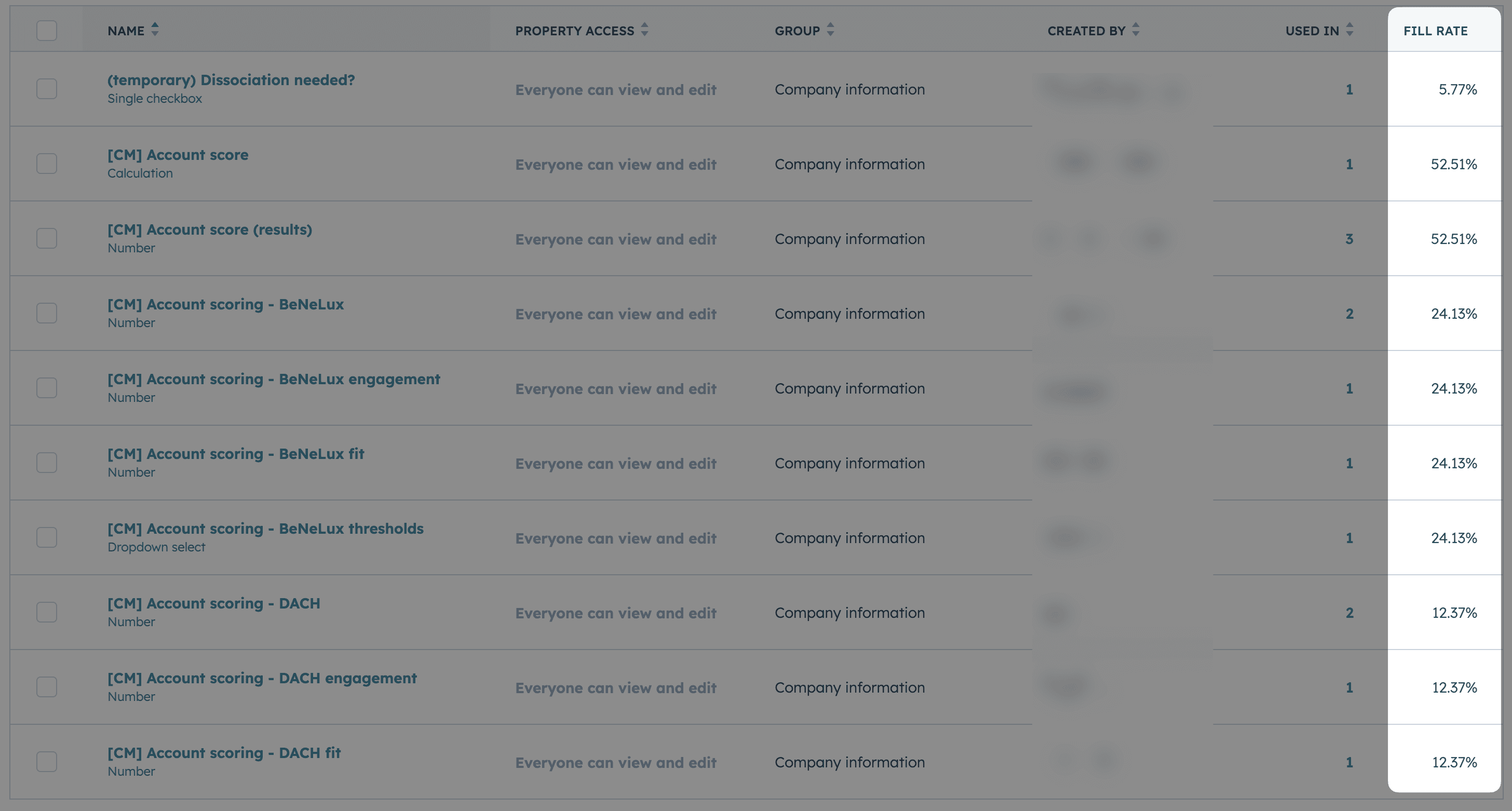
- Fill-rate on critical fields (per object, per team, per pipeline)
- Duplicate rate (what object, what duplicate pattern)
- Freshness (last updated vs reality)
- Validity (format and allowed values)
Your audit screenshot example fits perfectly here (HubSpot-style fill-rate view).
2) Data replication in a Data Warehouse / Database
Why replicate CRM data outside the CRM?
Because cleaning requires scale, history, and safety:
- you can analyze all properties without UI limits
- you can detect duplicate fields (similar meaning, different names)
- you can run cleaning logic repeatedly and compare before/after
- you can create a rollback path if something breaks
A practical pattern is to replicate CRM data into a warehouse (e.g., Snowflake or BigQuery) or sometimes a simpler database like MongoDB, then run cleaning logic from there.
Cargo as a Data Warehouse (and often an all-in-one solution)
If you’re looking for a more integrated approach, Cargo can act as the Data Warehouse layer for this workflow. In practice, it’s often an all-in-one solution to centralize your CRM data, model it, and make it usable for data cleaning at scale without having to stitch together multiple tools.
This is especially useful if your goal is data cleaning in Cargo, because the warehouse and the modeling foundation makes it much easier to:
- replicate and keep full history
- run cleaning logic repeatedly and track before/after
- reduce risk with rollback-friendly workflows
- standardize messy CRM fields into a clean, consistent model
Cargo supports building data models on top of a warehouse (with a managed Snowflake instance by default, or by connecting your own). Tools like Cargo are designed exactly for this “replicate → model → clean” loop, which is why they fit naturally into data cleaning workflows.
One rule: replicate everything
This is the part most teams skip and regret later.
Replicate all properties, even messy ones, because CRMs tend to accumulate:
- near-duplicate properties (same meaning, different names)
- old properties that are still used by a workflow somewhere
- fields that only an integration writes to
Quick tip: use an LLM to validate duplicate records
This is one of the highest ROI moves early in cleaning.
Workflow:
- identify potential duplicates using matching signals (same LinkedIn ID, company name, website, domain, etc.)
- for each cluster of matches, export the full context: firmographic data, activities, associated contacts, deals
- feed the LLM both records + their full context and ask: "are these the same company/contact?"
- let the model catch edge cases (subsidiaries, rebrands, different divisions, name variations)
- use its decision to merge confidently or keep separate
- repeat after each major data import or enrichment run
You are a deterministic merge decider for HubSpot contacts.
Return only this JSON (no prose, no fences, no trailing commas):
{"version":"1.0","duplicate":<bool>,"action":"merge|keep_both","main_id":<string|null>,"secondary_id":<string|null>,"sim":<number>,"conf":<number>[,"email_update":{"id":<string>,"email":<string>}]}
Keys must appear in that order.
If duplicate=false: action="keep_both", main_id=null, secondary_id=null, omit email_update.
Input ingestion
Accept any of:
"Info" 4-chunk (like your sample):
Info:
[ <contact_1 array with 1 object> ]
[ <contact_2 array with 1 object> ]
{ <duplicate_analysis object> }
<similarity_score number>
Single object with keys: contact_1, contact_2, duplicate_analysis, similarity_score.
Array of such objects → process only the first pair.
Parsing rules:
Ignore the literal Info: and blank lines.
1st JSON array → c1; 2nd array → c2; next JSON object → dup; final line → sim.
Treat createdate/createdAt & lastmodifieddate/updatedAt as synonyms.
Decision rules
Name gate: normalize firstname/lastname (trim, lowercase, collapse spaces, strip accents and - ’ '). If they differ → duplicate=false.
Email evaluation (for duplicate decision & "winning email" only):
Lowercase. Valid iff ^[A-Za-z0-9._%+-]+@[A-Za-z0-9.-]+\.[A-Za-z]{2,}$.
Gmail normalization: dots and +tag don't differentiate.
Common provider typos (treat as weaker than valid):
gmail: gmial|gamil|gmal • hotmail: hotmqil|hotmaiI|hotmsil • yahoo: yaho.* • outlook: outlok • icloud: iclou?d
Winning email: prefer valid non-typo over typo/invalid; if both valid & equal after normalization → that value; if both valid but clearly different (not normalization/typo) and other signals aren't overwhelming → duplicate=false.
Similarity gate: if sim < 0.90 and email+name don't strongly align → duplicate=false.
Choose main vs secondary (DATA-FIRST):
Data completeness/relationships: pick the contact with more non-null business fields (e.g., associatedcompanyid, jobtitle, phone, mobilephone, lifecyclestage, city, country). This intentionally outweighs email quality to preserve associations/history.
If tie → older created.
If tie → newer updated.
If tie → lexicographically smaller id.
Pre-merge email update (conditional):
If duplicate=true and the chosen main does not already equal the winning email, include:
"email_update":{"id":"<main_id>","email":"<winning_email>"}
Otherwise omit email_update.
Confidence (conf):
Strong (0.97–0.99): names match + winning email clear (valid vs typo) + sim≥0.95
Medium (0.90–0.96): names match + one valid email + sim≥0.90
Low/keep_both ≤0.60
Always output a single JSON object exactly as specified. Start with { and end with }. No extra text.
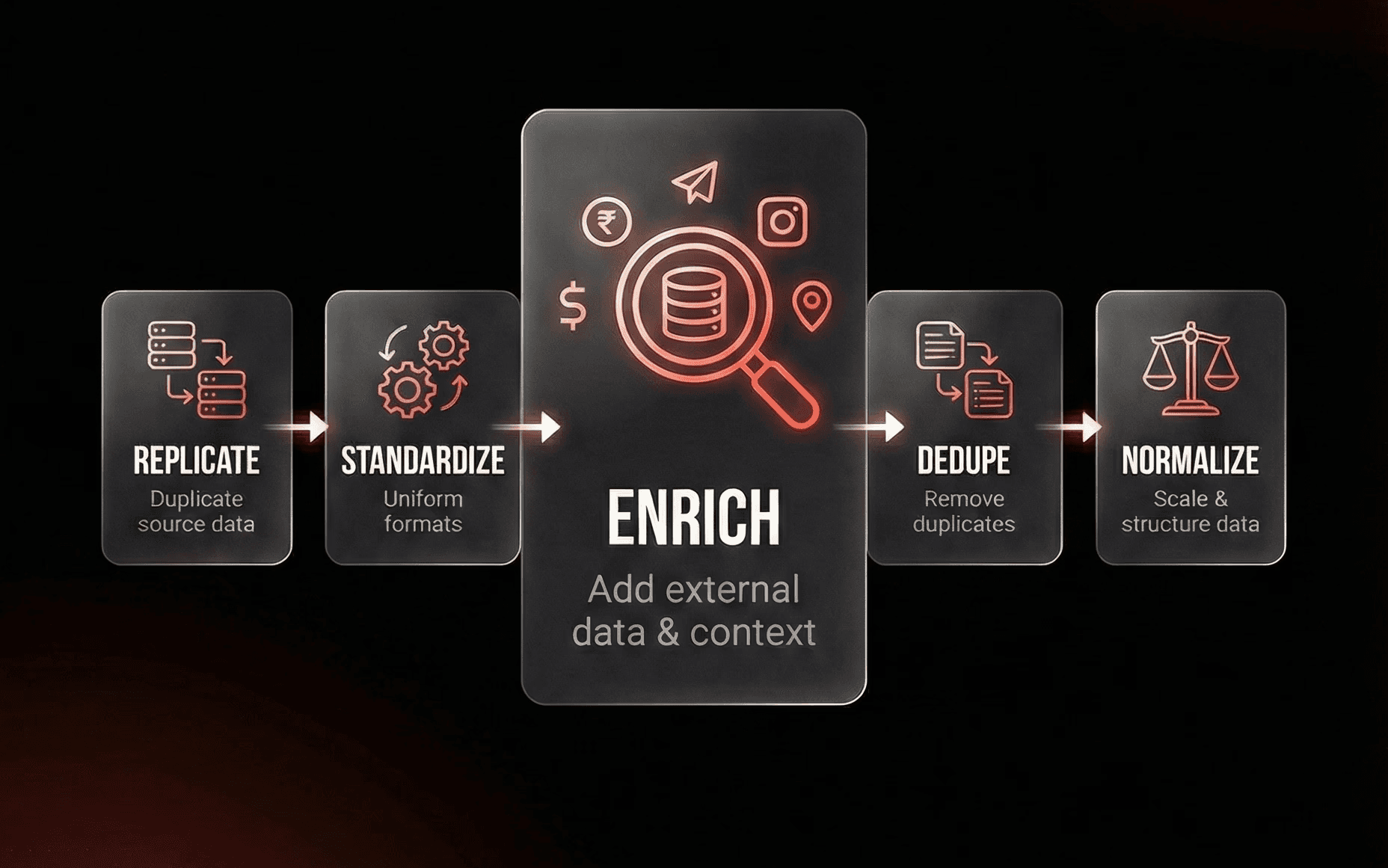
3) Enrichment / Refresh (Cleaning without enrichment is risky)
Most companies ask for a data cleaning but underestimate enrichment. If your dataset is messy and not standardized, you’ll end up:
- deleting records that are actually valuable
- merging the wrong duplicates
- “cleaning” into a new inconsistent state
What you can enrich (examples)
For companies:
- domain/website
- industry/sub-industry
- LinkedIn URL
- description
For contacts:
- LinkedIn URL
- role/seniority (when available)
- email validity (if your process includes it)
Critical part: overwrite logic (don’t “refresh blindly”)
Before importing enriched data, define with the client:
- What is the source of truth per field?
- When do we overwrite vs preserve?
- Do we keep history (old values) anywhere?
- What happens when enrichment conflicts with user-entered data?
This is where most “cleaning projects” create new distrust if rules are unclear.
4) Workers (how cleaning runs at scale)
What’s a “worker” in data cleaning?
A worker is a repeatable job that:
- pulls records
- enriches or validates fields
- merges/updates records based on rules
- logs what changed
Think of it like a production-grade cleaning loop, not a one-time CSV fix. A common pattern is to run these jobs on serverless infrastructure. Cloudflare Workers, for example, is positioned as a serverless platform for deploying and scaling code on Cloudflare’s network. Workflow platforms like Cargo position themselves as an “AI workforce” connected to CRM and data warehouse used to orchestrate enrichment/workflows.
5) Quality check (the part people skip)
There is no single automation that guarantees “this CRM is now correct.” So the quality check should be simple and real:
A) Sampling
- open the warehouse/a sheet/CRM views
- check a representative sample
- verify the rules worked (especially merges)
B) Reality check with the people who use it
Your point is strong: Sales/CS lives in the data every day. That becomes the final validation layer if you involve them intentionally. But it only works with clear enablement:
- what changed
- what to watch for
- where to report issues
- what is now the “right way” to create/update records
6) Implementation (long-term, not just a one-time cleanup)
Phase 1 - Fix the minimum trust blockers:
- the 10–20 fields that power reporting and routing
- the biggest duplicate pattern
- the broken lifecycle/stage logic that makes dashboards political
Phase 2 - Lock the rules:
- canonical properties
- required fields only where they reduce ambiguity (not everywhere)
- clear ownership (who maintains what)
Phase 3 - Keep it clean:
- scheduled enrichment/refresh (only on fields you defined)
- monitoring (fill-rate, duplicate rate, freshness)
- a lightweight governance routine (“what changes are allowed, and who approves?”)
● The results
The Outcome
Before
A Sales/Revenue team wanted visibility into pipeline and performance, but CRM data had drifted: duplicates and inconsistent fields meant dashboards looked good but weren’t trusted.
After
We :
- cleaned the database (duplicate removal + enrichment),
- standardized key segmentation fields, and aligned consistent tagging for decision-makers.
- rebuilt reporting on top of that foundation (HubSpot dashboard + basic forecasting), supported by an initial integration with an ops tool.
Outcome: not “more reports.” It was restored confidence in metrics and better prioritization of high-value opportunities.